AI agents are getting good at using the web: filling forms, clicking buttons, navigating sign-up flows. But they all hit the same wall: the email verification step. Your agent needs a real email address, a password it controls, and a way to read the verification code that lands in the inbox. Until now, that required a human in the loop.
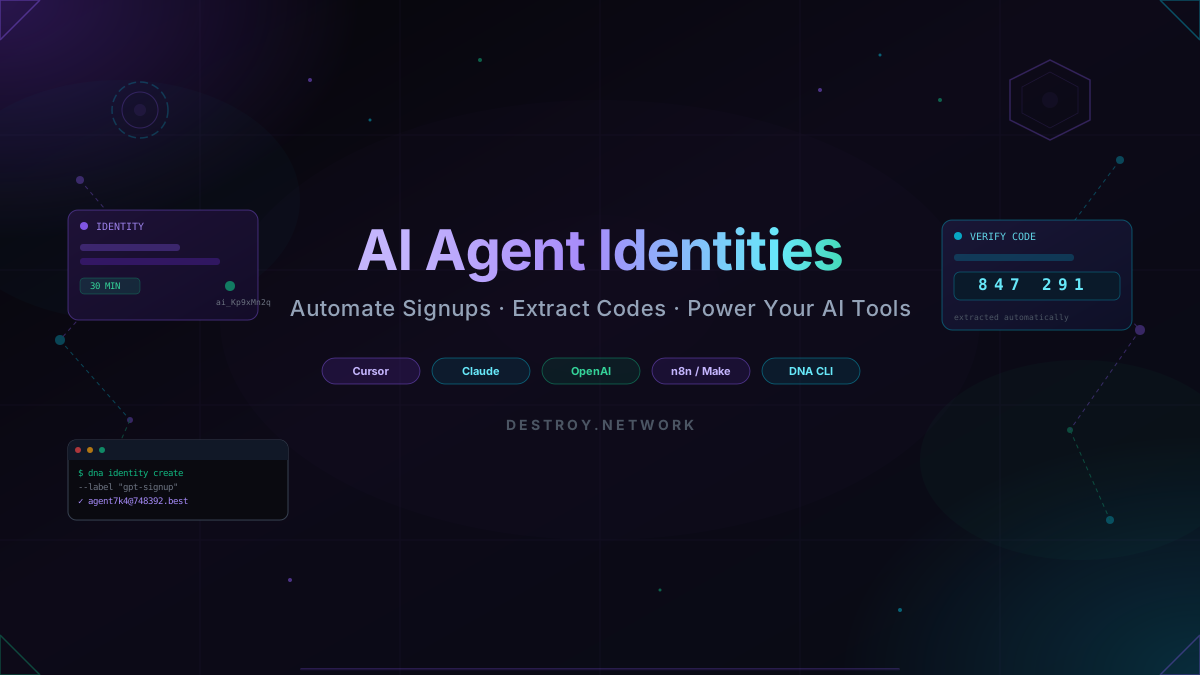
Today we're launching Agent Identities, disposable email + password pairs built specifically for AI tools. One API call creates a complete, temporary identity your agent can use to sign up to any service and automatically retrieve verification codes. No human inbox. No IMAP setup. No prompt engineering gymnastics.
What Is an Agent Identity?
An Agent Identity is a bundle of three things your AI needs to act as a real user online:
- A temporary email address, a real, deliverable inbox hosted on destroy.network's infrastructure (e.g.
agent7k4x@748392.best) - A generated password, cryptographically random, stored encrypted, and retrievable via the API
- A verification extractor, smart parsing that reads incoming emails and pulls out OTP codes, magic links, or confirmation tokens automatically
Identities are scoped to your API key, expire automatically (configurable from 1 to 1440 minutes), and are available on Pro and Business plans.
Using the DNA CLI
The fastest way to try Agent Identities is with the DNA CLI. Install it once and you have a terminal-native interface for the entire destroy.network API, including identity creation and verification polling.
1# Create a new agent identity with the DNA CLI2dna identity create --label "github-signup" --ttl 303 4# Output:5# ✓ Identity created6# Email: agent7k4x@748392.best7# Password: Kx9#mL2pQr4!vB7w8# Expires: 30 minutes9# ID: ai_Kp9xMn2qLr4vTt7bYw3cZThen, once your agent (or you) has submitted the signup form, poll for the verification email:
1# Wait for a verification email and extract the code automatically2dna identity verify ai_Kp9xMn2qLr4vTt7bYw3cZ3 4# Output:5# ✓ Verification code found6# Type: code7# Value: 8472918# Confidence: 0.999# From: noreply@github.com10# Subject: Please verify your email addressThe CLI blocks until the email arrives (or the timeout expires), parses the content, and returns the extracted value with a confidence score. Your shell script or CI job gets the code with a single command. No JSON wrangling required.
Using the JavaScript / TypeScript SDK
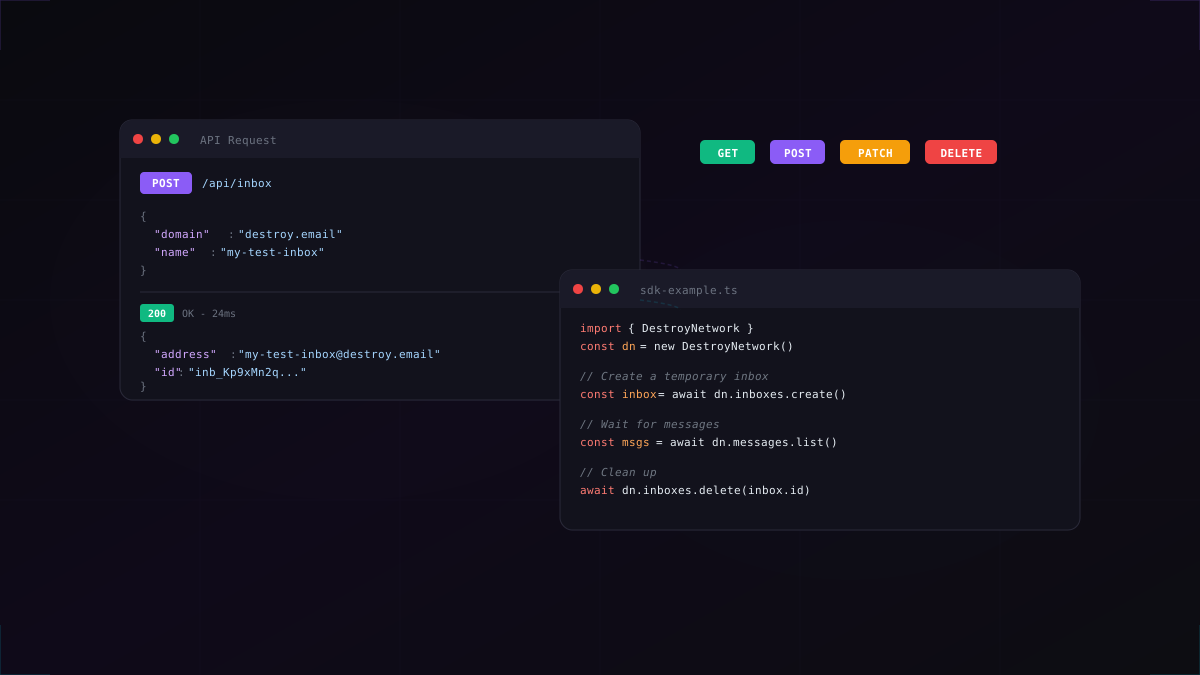
If you're building an agent in code, the destroy.network SDK gives you a clean async API to create identities and await verification results.
1import { DestroyNetwork } from "@destroy-network/sdk";2 3const client = new DestroyNetwork({ apiKey: process.env.DESTROY_API_KEY });4 5// Create a fresh identity for your agent6const identity = await client.agent.create({7 ttlMinutes: 30,8 label: "cursor-mcp-signup",9 prefix: "agent",10});11 12console.log(identity.email); // agent7k4x@748392.best13console.log(identity.password); // Kx9#mL2pQr4!vB7w1// Poll for a verification email and extract the code2const result = await client.agent.verify(identity.id, {3 timeout: 60, // seconds to wait4});5 6if (result.found) {7 console.log(`Code: ${result.value}`); // "847291"8 console.log(`Confidence: ${result.confidence}`); // 0.999 10 // Use the code in your automation...11 await page.fill("#verification-input", result.value);12 await page.click("button[type=submit]");13}The verify() call long-polls the inbox server-side, so you don't burn API credits with a polling loop. It returns as soon as a message matching the verification pattern arrives, or after the timeout.
Integrating with Cursor via MCP
Cursor's MCP (Model Control Protocol) lets you expose custom tools to Claude inside the editor. With a two-tool MCP server you can give Cursor the ability to create identities and extract verification codes on demand. No copy-pasting required.
1// cursor-mcp-tool.ts - register as an MCP tool in Cursor2import { DestroyNetwork } from "@destroy-network/sdk";3 4const client = new DestroyNetwork({ apiKey: process.env.DESTROY_API_KEY });5 6export const tools = {7 createAgentEmail: {8 description: "Create a disposable email identity for signing up to a service",9 parameters: {10 label: { type: "string", description: "What this identity is for" },11 ttlMinutes: { type: "number", description: "How long to keep the inbox (default 30)" },12 },13 handler: async ({ label, ttlMinutes = 30 }) => {14 const identity = await client.agent.create({ label, ttlMinutes });15 return {16 email: identity.email,17 password: identity.password,18 id: identity.id,19 expiresAt: identity.expiresAt,20 };21 },22 },23 24 extractVerificationCode: {25 description: "Wait for and extract a verification code or link from the inbox",26 parameters: {27 identityId: { type: "string", description: "The identity ID to check" },28 timeout: { type: "number", description: "Seconds to wait (default 60)" },29 },30 handler: async ({ identityId, timeout = 60 }) => {31 return client.agent.verify(identityId, { timeout });32 },33 },34};Once registered, you can simply tell Cursor: "Sign up to Linear with a temp email and return the credentials", and it will call the tool, handle the verification flow, and report back the account details. Combine this with browser automation (Puppeteer, Playwright) and you have a fully autonomous signup agent running inside your editor.
OpenAI Agents & Function Calling
Agent Identities work natively with OpenAI's function calling and the new Agents SDK. Define create_email_identity and extract_verification_code as tools, and GPT-4o / o3 will call them at the right moment in a multi-step task.
1import OpenAI from "openai";2import { DestroyNetwork } from "@destroy-network/sdk";3 4const openai = new OpenAI();5const destroy = new DestroyNetwork({ apiKey: process.env.DESTROY_API_KEY });6 7// Define the tool for the OpenAI assistant8const tools = [9 {10 type: "function",11 function: {12 name: "create_email_identity",13 description: "Create a temporary email address and password for signing up to a web service",14 parameters: {15 type: "object",16 properties: {17 label: { type: "string", description: "The service you're signing up to" },18 },19 required: ["label"],20 },21 },22 },23];24 25// Run the agent26const response = await openai.chat.completions.create({27 model: "gpt-4o",28 messages: [{ role: "user", content: "Sign up to Figma and get my account details" }],29 tools,30});31 32// Handle the tool call33const toolCall = response.choices[0].message.tool_calls?.[0];34if (toolCall?.function.name === "create_email_identity") {35 const args = JSON.parse(toolCall.function.arguments);36 const identity = await destroy.agent.create({ label: args.label, ttlMinutes: 30 });37 38 // Feed identity back to the agent to continue the task39 console.log(`Agent email: ${identity.email}`);40 console.log(`Agent password: ${identity.password}`);41}The same pattern works with Anthropic Claude tool use,LangChain tool nodes, LlamaIndex function tools, and any framework that supports structured tool calling. The interface is just HTTP. If your AI framework can make an API call, it can use Agent Identities.
No-Code: n8n, Make.com & Zapier
You don't need to write code to take advantage of Agent Identities. Any automation platform that supports HTTP requests (n8n, Make.com, Zapier) can create identities and retrieve codes using simple HTTP nodes.
1// n8n / Make.com - HTTP Request node config2// Step 1: Create Identity3POST https://destroy.network/api/agent/identities4Headers: { "Authorization": "Bearer sk_live_your_key" }5Body: {6 "ttlMinutes": 30,7 "label": "{{ $workflow.name }}-signup"8}9 10// Step 2: Use identity.email and identity.password in your form submit node11 12// Step 3: Wait for code (use a Wait node + Loop)13GET https://destroy.network/api/agent/identities/{{ identity.id }}/verify14Headers: { "Authorization": "Bearer sk_live_your_key" }15// Returns: { found: true, value: "847291", type: "code" }Build a workflow that: (1) creates an identity, (2) passes the email and password to a web scraping step, (3) loops until the verification code arrives, and (4) completes the signup. Fully automated, zero code.
Real-World Use Cases
- Competitive research bots: sign up to competitor trial accounts automatically to monitor product changes and pricing
- QA automation: test your own app's onboarding flow end-to-end in CI without a shared test inbox getting cluttered
- Data pipeline agents: register for data feeds, newsletters, or APIs that require email verification before granting access
- Cursor + Playwright automation: let your AI coding assistant spin up test accounts for services it's integrating with, without you switching context
- LLM evaluation harnesses: create isolated accounts per test run so your eval suite never has state leakage between runs
Security & Privacy
We designed Agent Identities with the same privacy-first principles as the rest of destroy.network:
- Passwords are encrypted at rest and only decrypted server-side for the authenticated API key owner. Nobody else can read them
- Identities expire automatically and are permanently deleted on expiry. No lingering credentials
- Each identity gets its own isolated inbox. No cross-contamination between agent runs
- All API requests are authenticated with your API key and logged for audit purposes
Like all destroy.network inboxes, Agent Identity inboxes are ephemeral. Use them for the task, then let them expire or delete them immediately after verification.
Limits & Pricing
Agent Identities are available on Pro and Business plans. Pro accounts can maintain up to 10 active identities concurrently; Business accounts get higher limits and priority support. Each identity counts against your normal inbox quota for the duration of its TTL.
Get Started Now
Agent Identities are available today. Here's how to get going in under five minutes:
- Upgrade to Pro or Business if you haven't already
- Generate an API key from your dashboard
- Install the DNA CLI:
npm install -g @destroy-network/cliand rundna login - Read the Agent Identities API docs for the full endpoint reference
If you're building something interesting with Agent Identities (an MCP server, an autonomous agent, a no-code workflow), we'd love to hear about it. Drop us a line via the contact page or open a support ticket.