If you're building an app that sends emails - signup confirmations, password resets, notifications - you need a reliable way to test those flows without using real inboxes. The destroy.network API lets you create temporary email addresses on demand, receive real emails, and read them programmatically. No SMTP server to configure, no shared test inbox that fills up with junk.
This guide walks through every step: authentication, creating inboxes, reading messages, setting up webhooks, and cleaning up. All examples are verified against the live API.
Authentication
Every API request requires an API key passed as a Bearer token. Generate one from your API dashboard - Pro plans get up to 5 keys, Business plans get 10.
API keys use the format sk_live_... and are scoped to your account. Rate limits depend on your plan: Pro allows 100 requests per minute, Business allows 1,000.
Creating Inboxes
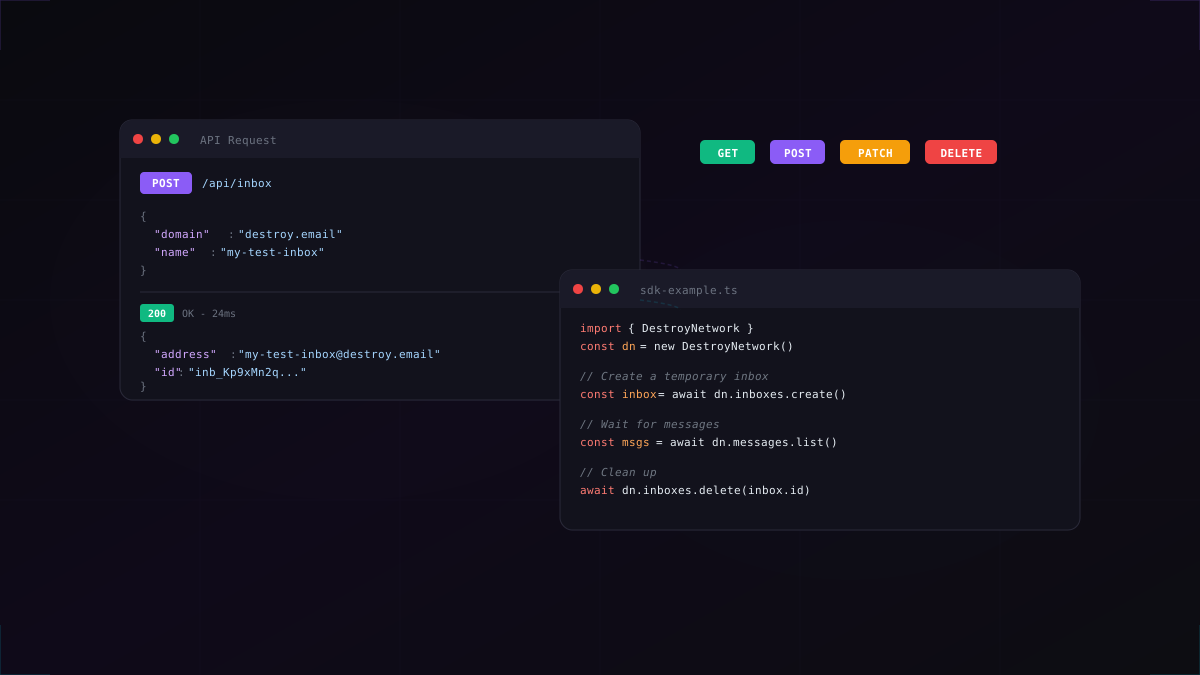
A single POST request creates a fully functional email inbox. On Pro plans, you can choose a custom name. Free-tier inboxes get a random address.
TypeScript SDK
1import { DestroyNetwork } from "@destroy-network/sdk";2 3const dn = new DestroyNetwork({ apiKey: process.env.DESTROY_API_KEY });4 5// Create a temporary inbox with a custom name6const inbox = await dn.inboxes.create({7 name: "signup-test",8 domain: "destroy.email",9});10 11console.log(inbox.address); // "signup-test@destroy.email"12console.log(inbox.id); // "inb_Kp9xMn..."13console.log(inbox.expiresAt); // ISO timestampcURL
1# Create an inbox2curl -X POST https://destroy.network/api/inbox \3 -H "Authorization: Bearer sk_live_your_key" \4 -H "Content-Type: application/json" \5 -d '{"name": "test-inbox", "domain": "destroy.email"}'6 7# Response:8# {9# "id": "inb_Kp9xMn2q...",10# "address": "test-inbox@destroy.email",11# "expiresAt": "2026-02-27T12:30:00Z"12# }Inbox lifetime depends on your plan: 10 minutes on Free, 30 on Pro, 60 on Business. Pro and Business plans can extend inboxes indefinitely in 30- or 60-minute increments.
Reading Messages
Once your inbox is live, any email sent to that address is stored and available via the API. Messages include the sender, subject, plain text body, HTML body, and any attachments.
TypeScript SDK
1// List messages in the inbox2const messages = await dn.messages.list(inbox.id);3 4for (const msg of messages) {5 console.log(msg.from); // "noreply@github.com"6 console.log(msg.subject); // "Verify your email address"7 console.log(msg.snippet); // First 200 chars of body8}9 10// Get the full message content11const full = await dn.messages.get(inbox.id, messages[0].id);12console.log(full.text); // Plain text body13console.log(full.html); // Full HTML bodycURL
1# List messages2curl https://destroy.network/api/inbox/inb_Kp9xMn2q/messages \3 -H "Authorization: Bearer sk_live_your_key"4 5# Get a specific message6curl https://destroy.network/api/inbox/inb_Kp9xMn2q/messages/msg_abc123 \7 -H "Authorization: Bearer sk_live_your_key"Pro and Business plans get real-time delivery via Server-Sent Events (SSE), so you can stream messages as they arrive instead of polling. Free-tier users can poll at 60-second intervals.
Webhooks for Real-Time Events
Instead of polling for new messages, you can register a webhook URL and get notified the instant an email lands. Webhooks are available on Pro and Business plans.
1// Register a webhook to get notified when emails arrive2const webhook = await dn.webhooks.create({3 url: "https://your-app.com/webhooks/email",4 events: ["message.received"],5 inboxId: inbox.id, // scope to a specific inbox6});7 8// Your webhook endpoint receives:9// {10// "event": "message.received",11// "data": {12// "inboxId": "inb_Kp9xMn2q...",13// "messageId": "msg_abc123",14// "from": "noreply@github.com",15// "subject": "Verify your email"16// }17// }Webhooks fire for three event types: message.received, inbox.created, and inbox.expired. Each payload includes a signing secret for verification, and failed deliveries are retried automatically.
Python Example
The API is plain HTTP, so it works with any language. Here's the same flow in Python using requests:
1import requests2 3API_URL = "https://destroy.network/api"4headers = {"Authorization": "Bearer sk_live_your_key"}5 6# Create inbox7inbox = requests.post(f"{API_URL}/inbox", headers=headers, json={8 "name": "python-test",9 "domain": "destroy.email"10}).json()11 12print(f"Email: {inbox['address']}")13 14# Poll for messages15import time16for _ in range(30):17 msgs = requests.get(18 f"{API_URL}/inbox/{inbox['id']}/messages",19 headers=headers20 ).json()21 if msgs:22 print(f"Got email: {msgs[0]['subject']}")23 break24 time.sleep(1)CI/CD Integration
The API is designed for automated testing pipelines. Here's how to integrate it into your CI/CD workflow:
- Per-test isolation - create a new inbox for each test case, so there's no state leakage between runs
- No shared credentials - each API key is scoped to your account, no shared test email passwords to rotate
- Automatic cleanup - inboxes expire on their own, so your test environment never fills up with stale data
- Attachments supported - test attachment handling with up to 5 MB (Free), 25 MB (Pro), or 50 MB (Business) per message
Full SDK Resource List
The TypeScript SDK provides typed methods for every API endpoint:
dn.inboxes- create, list, update, delete, sharedn.messages- list, get, searchdn.webhooks- register, list, manage event subscriptionsdn.labels- create and manage custom labelsdn.inboxRules- create and manage automation rulesdn.inboxTemplates- save and reuse inbox configurationsdn.teams- create teams, manage members, share inboxesdn.agent- create AI agent identities with auto-verificationdn.apiKeys- generate and revoke keysdn.user- account info and usage stats
Install with npm install @buun_group/destroy-network-sdk and see the full documentation for every method signature.
Rate Limits and Quotas
API limits are enforced per-key per-minute. If you exceed the limit, the API returns 429 Too Many Requests with a Retry-After header.
- Free - no API access
- Pro - 100 requests/minute, 10 concurrent inboxes, 5 API keys
- Business - 1,000 requests/minute, 50 concurrent inboxes, 10 API keys
Get Started
Ready to integrate disposable email into your project?
- Sign up for a Pro or Business plan
- Generate an API key from your dashboard
- Install the SDK:
npm install @buun_group/destroy-network-sdk - Read the API documentation for the full endpoint reference
Or jump straight in and create a free inbox to see it work.