Testing email flows in your application can be challenging. You need real email addresses that receive real emails, but you don't want to clutter personal inboxes or deal with flaky third-party email services.
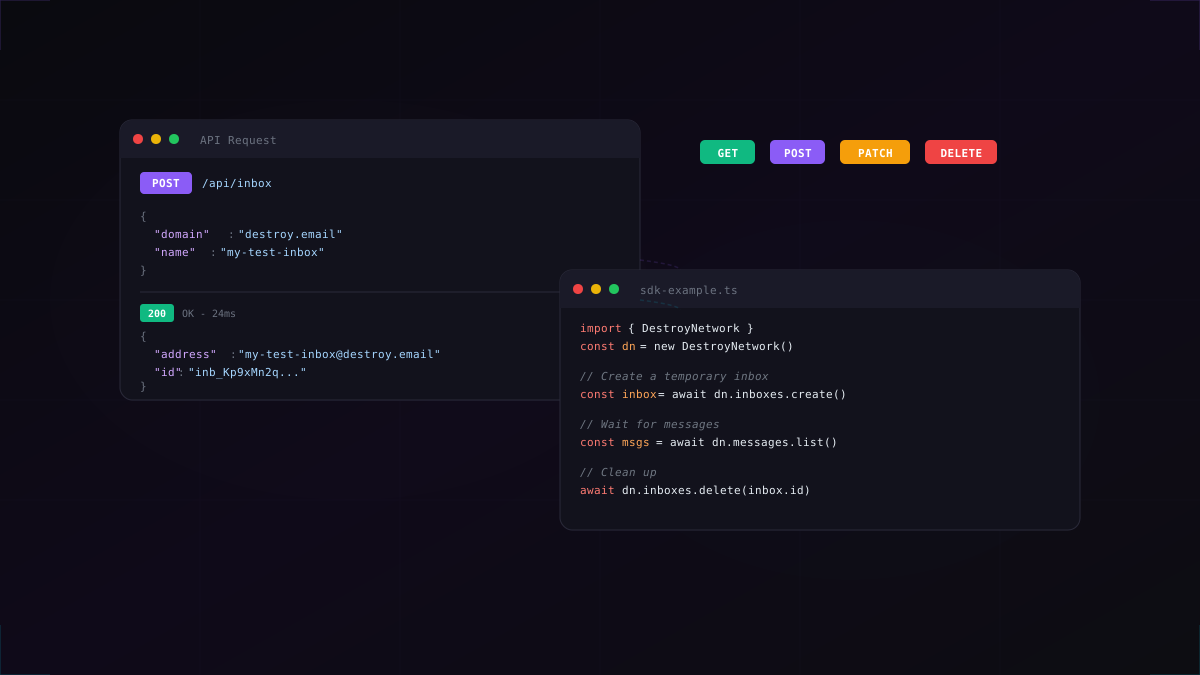
This tutorial shows you how to use destroy.network's API with Playwright to create robust, automated email tests.
Why Automate Email Testing?
Email is critical to most applications-user registration, password resets, notifications, and transactional emails all rely on it. Yet email testing is often skipped or done manually because it's perceived as difficult.
With proper automation, you can:
- Catch email delivery issues before they reach production
- Verify email content and formatting automatically
- Test email-dependent user flows end-to-end
- Run tests in CI/CD without manual intervention
Setting Up the Test Environment
First, let's set up a Playwright test file with the necessary dependencies:
1import { test, expect } from '@playwright/test';2 3const API_URL = 'https://destroy.network/api';4 5interface Inbox {6 id: string;7 address: string;8}9 10interface Message {11 id: string;12 subject: string;13 from: string;14 body: string;15}16 17async function createInbox(): Promise<Inbox> {18 const res = await fetch(`${API_URL}/inbox`, {19 method: 'POST',20 headers: { 'Content-Type': 'application/json' },21 body: JSON.stringify({ domain: 'destroy.email' }),22 });23 return res.json();24}25 26async function waitForEmail(27 inboxId: string,28 timeout = 3000029): Promise<Message> {30 const start = Date.now();31 while (Date.now() - start < timeout) {32 const res = await fetch(`${API_URL}/inbox/${inboxId}/messages`);33 const messages = await res.json();34 if (messages.length > 0) {35 return messages[0];36 }37 await new Promise(r => setTimeout(r, 1000));38 }39 throw new Error('Timeout waiting for email');40}Testing User Registration
Here's a complete example testing a signup flow with email verification:
1test('user registration with email verification', async ({ page }) => {2 // Create a temporary inbox for this test3 const inbox = await createInbox();4 5 // Navigate to signup page6 await page.goto('/signup');7 8 // Fill out registration form9 await page.fill('[name="email"]', inbox.address);10 await page.fill('[name="password"]', 'SecureP@ssw0rd!');11 await page.click('button[type="submit"]');12 13 // Wait for confirmation message14 await expect(page.locator('.success-message')).toBeVisible();15 16 // Wait for verification email17 const email = await waitForEmail(inbox.id);18 19 // Verify email subject20 expect(email.subject).toContain('Verify your email');21 22 // Extract verification link from email body23 const linkMatch = email.body.match(/href="([^"]+verify[^"]+)"/);24 expect(linkMatch).toBeTruthy();25 26 // Visit verification link27 await page.goto(linkMatch![1]);28 29 // Verify account is now active30 await expect(page.locator('.verified-message')).toBeVisible();31});Testing Password Reset
Password reset flows are another common use case:
1test('password reset flow', async ({ page }) => {2 const inbox = await createInbox();3 4 // Create user with this email first (setup)5 // ... your user creation logic6 7 await page.goto('/forgot-password');8 await page.fill('[name="email"]', inbox.address);9 await page.click('button[type="submit"]');10 11 // Wait for reset email12 const email = await waitForEmail(inbox.id);13 14 expect(email.subject).toContain('Reset your password');15 16 // Extract reset link and complete flow17 const resetLink = email.body.match(/href="([^"]+reset[^"]+)"/);18 await page.goto(resetLink![1]);19 20 await page.fill('[name="newPassword"]', 'NewSecureP@ss!');21 await page.fill('[name="confirmPassword"]', 'NewSecureP@ss!');22 await page.click('button[type="submit"]');23 24 await expect(page.locator('.password-updated')).toBeVisible();25});CI/CD Integration
These tests run perfectly in CI/CD environments. No email server setup, no SMTP configuration-just HTTP requests to the destroy.network API.
For high-volume testing, consider using an API key to increase rate limits and access additional features.
Best Practices
- Create a new inbox for each test to ensure isolation
- Use meaningful timeout values based on your email delivery speed
- Clean up inboxes after tests or let them expire naturally
- Parse emails carefully-HTML content may vary
- Consider using the API's webhook feature for real-time notifications
Next Steps
Ready to start automating your email tests? Check out our API documentation for the complete reference, and create your first test inbox to see it in action.