We're excited to announce the release of destroy.network browser extensions for Chrome and Firefox! Now you can create disposable email addresses without leaving the page you're on.
Instant Access, One Click Away
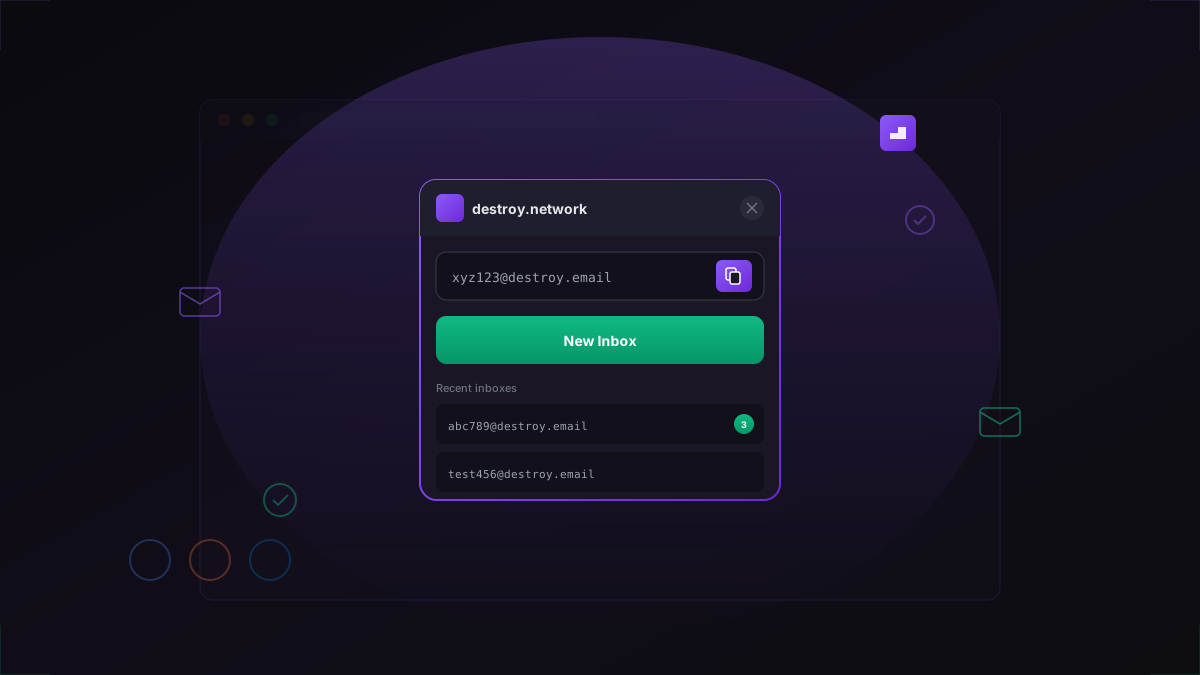
Our browser extension lives in your toolbar, ready whenever you need a temporary email. See a signup form? Click the extension, copy your new address, and you're done.
Key features include:
- One-click generation: Create new inboxes instantly
- Quick copy: Copy email addresses with a single click
- Recent inboxes: Access your last 5 temporary emails
- New message alerts: See when new emails arrive
- Direct inbox access: Jump straight to your inbox from the popup
Privacy First, Always
Like everything we build, the extension is designed with privacy as the top priority:
- No tracking or analytics
- No account required
- No data collection
- Open source and auditable
The extension only communicates with destroy.network's servers-nothing else. Your browsing remains private.
Pro Features for Subscribers
If you have a Pro or Business subscription, the extension unlocks additional features:
- Custom domain support
- Longer inbox lifetimes
- Inbox reservation
- Priority email delivery
Simply log in with your account in the extension settings to enable these features.
Get the Extension
Installing the extension takes less than a minute:
- Chrome: Available on the Chrome Web Store
- Firefox: Available on Firefox Add-ons
- Brave, Edge, Opera: Use the Chrome extension via their extension stores
Visit our extension page for download links and installation instructions.
Open Source
As with our main service, the browser extension is completely open source. You can review the code, report issues, or contribute improvements on our GitHub repository.
What's Next
This is just the beginning. We're working on additional features including:
- Safari extension
- Auto-fill integration
- Form detection with suggested temporary addresses
- Keyboard shortcuts
Have feedback or feature requests? We'd love to hear from you - reach out on our contact page.